Browser Games for Kids That the Grown-Up Can Sit Through
By IPObrains Editorial 6 min read
Free browser games for children sorted by age and attention span, with notes on what each one teaches, which are hard to stop, and how to share one screen.
The question is not whether a children's game is good. It is whether you can sit beside it for 20 minutes without wanting to leave the room. Plenty of games aimed at children are fine for the child and unbearable for the adult: a jingle on every tap, confetti on every correct answer, and a shop button that lights up the moment the player hesitates. The ones below mostly avoid that, and where they don't, we say so.
Every game here runs in a browser tab with nothing to install and no account, so there is no download to approve and nothing to uninstall later. We have grouped them by rough age, though attention span is a better guide than birthdays. A patient five-year-old will outlast a restless nine-year-old on most of these.
Very young and still tapping
At this age the game needs to answer a tap with something visible, and a wrong tap should not punish. Baby Bear gets this right. The child helps two bears get ready for a new arrival, then looks after the cub. Anything that wiggles or glows is the thing to touch, and a pointing hand turns up whenever the child stalls. It teaches following a short sequence of jobs, and a child with a younger sibling on the way will take it very seriously.
Cute Little Dragon Creator is a dressing-up box. Drag colours and accessories onto a dragon, admire it, start again. There is no score, which is the point. The adult's job is to ask why the wings are purple and then listen to an answer that goes on for some time. It wants the phone turned sideways, so it suits a tablet or laptop better.
Cat Clicker is the one to be wary of in this group, and we'll come back to it.
Early readers
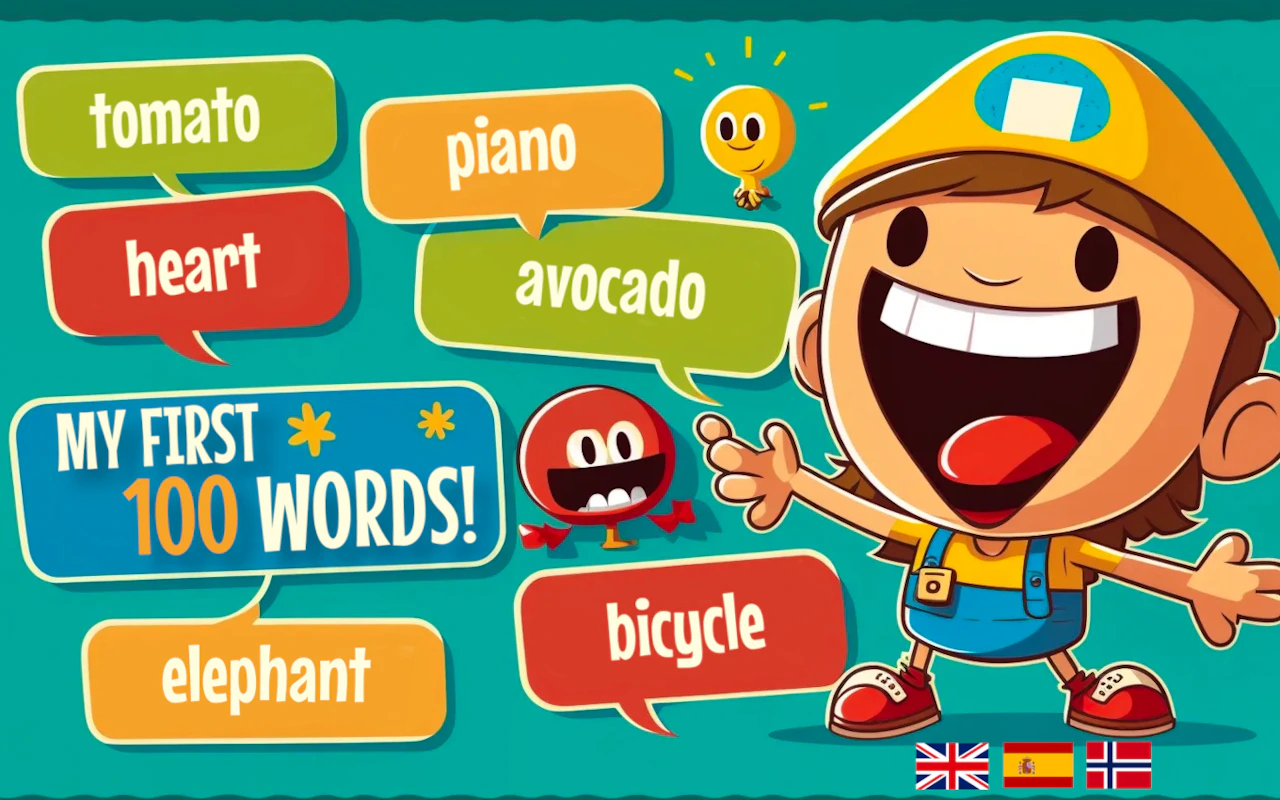
My First 100 Words shows a picture, says the word aloud, and asks the child to find it again. The clever part is that it does this in more than one language, so a six-year-old who already knows "apple" can hear it in another tongue and start matching sounds to pictures. Keep sessions to five minutes. The repetition is the teaching, and it goes stale after that.
Save The Planet is a sorting game. Rubbish arrives, you drag it to the right bin, and the bins follow the Italian system. The timer is gentle at first and then it isn't, and the moment a child starts flinging items at any bin to beat the clock is the moment to pause and talk about what each one is for. Expect the household recycling to be corrected afterwards.
Going up is a one-tap flier. Tap to keep the bird climbing, thread it between obstacles, collect coins for new skins. It trains timing and not much else. It is the easiest game here to hand over in a waiting room, and the easiest to lose half an hour to.
Eight and up
Here the games can carry a real idea, and the adult is more likely to want a turn.
2048 is the best of them. Slide tiles, matching numbers merge, make a 2048 tile before the grid fills. Children pick up the doubling pattern within a few games and start predicting what a merge will produce, which is arithmetic practice they will not recognise as such. The mistake every new player makes is swiping in all four directions. Teach them to keep the big tile in a corner and only ever use three, and watch the score triple.
Draw Save Puzzle hands you a stick figure in danger and a pen. Draw a line or a shape, let the physics run, see if the figure survives. It plays best sideways on a wider screen, and it is the kind of game where two people argue productively about which shape to draw.
Math Battle is sums with dinosaurs. Answer correctly and your dinosaur stays strong; answer wrong and it weakens. The questions get harder as the duels go on, so it suits a child who already knows the facts and needs to use them under pressure. For a child still learning them it is just stressful.
How Many Mice is a counting and restraint game. Mice are hidden in a scene, each tap might reveal more, and each tap also costs you. The lesson is to look before you touch, which is a rare thing for a game to teach a child.
The ones that are hard to put down
Some games are built to end a session and some are built to never end one. Cat Clicker is the second kind. Tap to make cat bubbles, buy upgrades so the bubbles make themselves, reset for a bonus and go again. The numbers go up forever, and every few seconds something sparkles. There is no "level done" moment, so there is no natural place to stop, and a young child will not invent one. If you let it in, agree the end time before the first tap.
Going up and Hungry Squirrel (dodge birds, collect nuts, the pace climbs) are softer versions of the same trap. Each round lasts under a minute and ends on a score, so "one more go" is cheap and always available. None of these are bad games. They are the ones where the adult has to be the one who ends it, because the game never will.
Sharing one phone or laptop
Turn the sound down before handing the device over, not after. The first thing a children's game does is play its theme at full volume.
Use the orientation the game wants. The portrait games (Baby Bear, My First 100 Words, 2048, Going up) are fine on a phone. The landscape ones (Draw Save Puzzle, Math Battle, the dragon creator) are a squint on a phone and far better on a tablet or laptop, where a mouse also gives a small hand more precision than a fingertip.
Put the device in the middle of the table rather than in the child's hands. It sounds trivial, and it makes the end of the session a matter of picking the phone up rather than prising it away.
Set the stop point in the game's own terms. "Three more levels" works. "Ten more minutes" does not, because a child cannot see ten minutes and can see three levels.
Playing with them rather than near them
Most of what a child gets from these games comes from the adult asking questions, and they do not need to be clever. What is that bin for, in Save The Planet. Which way are you going to swipe, in 2048, asked before they swipe. What is the dragon's name. The game provides the prop and you provide the conversation.
Take turns on the same device, with a real rule about whose go it is. Draw Save Puzzle and 2048 both work this way, and children are far more forgiving of losing a turn than of losing a phone.
Let them teach you. A child explaining the timing in Going up to an adult is doing more thinking than a child playing alone.
If none of these suit the child in front of you, our guide to picking a browser game that fits is a sensible way to narrow it down, and our puzzle game picks have more for the 2048 crowd.
Choose one game from the right age group, put the device on the table between you, and ask the first question before they make the first move. Then notice how long they last. That is the attention span you plan around.