Store game · Card
Solitaire by Staple Games
A minimal, distraction-free Klondike Solitaire with dark mode, auto-save and a tap-to-play helper.
Get the game
Opens the official store page
- Developer
- Staple Games, LLC
- Score
- 4.8
- Downloads
- 100K+ ratings
- Age
- Rated 4+
- Genre
- Card
- Price
- Free
Screenshots
About this game
Staple Games' Solitaire is the stripped-back option: a small team's Klondike with a minimalist design and nothing between you and the cards. It suits people who find most Solitaire apps too busy. Features cover Draw 1 and Draw 3, easy-to-read cards, tap-to-play, a smart auto-complete, left- or right-handed layouts, auto-save, unlimited undo, statistics and a Dark Mode. An Auto Helper will make a valid move for you if you tap any card and one exists, which is useful while learning. The listing includes a plain-English write-up of Klondike rules, from the seven tableau columns to filling an empty space with a King, so newcomers aren't left guessing. Free to download.
Solitaire by Staple Games: the full guide
What the game is
Staple Games is a small team, and its Solitaire is the sparsest in this batch by design: a Klondike with a minimalist layout and nothing on screen except the cards. The pitch is aimed at people who find other Solitaire apps cluttered.
The feature list is still complete. Draw 1 and Draw 3, legible cards, tap-to-play moves, a clever auto-complete, layouts for either hand, auto-save, undo without limit, statistics and a Dark Mode. Tap any card and the Auto Helper will perform a legal move on your behalf if one exists, and the listing includes a plain-language rules write-up for people who've never played.
How a session plays
You open the app and there's a deal. That's roughly the whole interface. Tap a card and it goes where it should; tap one with no obvious destination and the Auto Helper will find a legal move if there is one, which quietly teaches the rules as you go.
Dark Mode makes it one of the few Solitaires comfortable to play in bed. Auto-save means closing the app mid-deal costs nothing. There are no daily challenges, trophies or events mentioned, so there's nothing to come back for except the game itself.
Why people look for it
The word minimalist does the work. Players fed up with crowns, levels and event banners want a card game that looks like a card game, and this is one of the few that advertises restraint. Dark Mode is a specific request many Solitaire apps ignore. The rules explainer also makes it a sensible first Solitaire for a beginner.
Look and feel
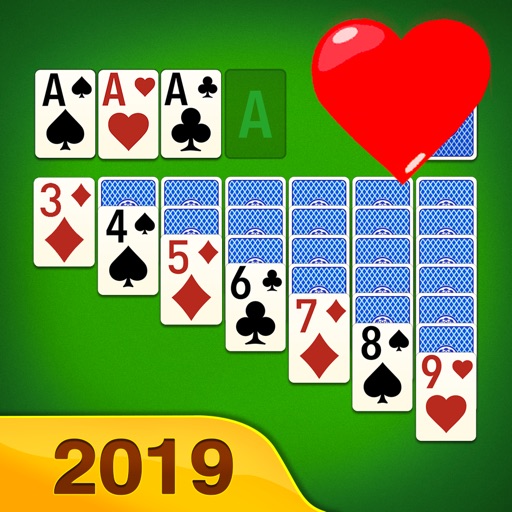
Flat, uncluttered and quiet, with a dark theme available. Only two screenshots are on the page, the fewest in this batch, which fits an app with little interface to show. Expect simple card faces, generous spacing and no decorative chrome; if the shots show anything beyond a table of cards, it will be the settings screen.
Updates and upkeep
A 4.8 rating from more than 100,000 ratings is impressive for a small team and suggests the simplicity lands well. Staple Games, LLC is the developer; no version string is available in our data. The two-screenshot listing hints at a developer who doesn't fuss over marketing, which cuts both ways. Only the App Store is linked.